

Please, share ❤️
Over the past few years, home space has taken on new meaning. What used to be a place to relax has become a full-fledged office, a creative workshop, a shelter — a place where you need to maintain concentration, balance, and at least some illusion of normality.
I work as a UX/UI designer, creating interfaces for Ukrainian online stores. Before the full-scale invasion, working from home seemed like a privilege — no need to spend two hours commuting, working in your favourite trousers, making coffee whenever you want. But when the choice disappeared, when ‘home’ and ‘work’ merged into one irregular existence to the sound of sirens and generators, I realised: I need an island. A place where I can control at least something.
My workplace became a space where I could focus, where my brain understood: this is where we work, this is where we create, this is where everything makes sense. Sounds pretentious? Maybe. But when there is chaos around, that’s what saves you.
In recent years, I have redesigned my workplace three times. At first, it was a laptop on the kitchen table. Then a separate cramped desk in the corner of the room. And now — a well-thought-out setup where each element has its place and purpose. And you know what? There is no perfectionism or Instagram pictures here. A properly organised space affects productivity and mental health. When you’re comfortable at your desk, when there’s no back pain or chaos of wires, your energy goes to what’s really important — the work you love.

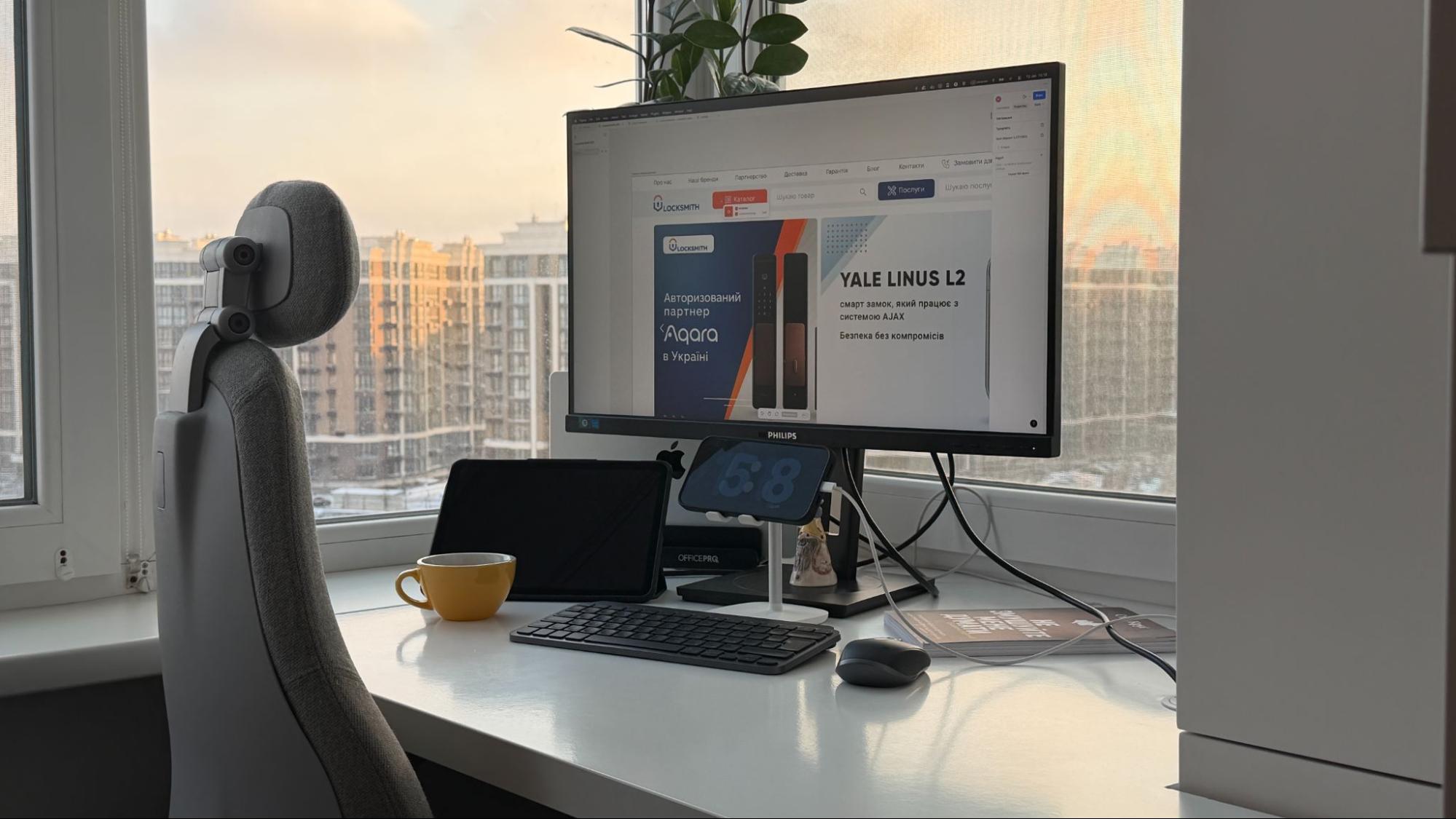
The foundation: space and light
The first rule of setting up a workplace is location. I spent a month looking for the perfect corner in my flat. At first, I wanted to put the desk by the window overlooking the park. Romantic, right? But then I realised that direct sunlight would hit the monitor screen, which would mean migraines after two hours of work.
Natural light is about circadian rhythms, about your brain understanding that it’s daytime and time to work. But the light has to fall correctly. Mine comes from the left side — it illuminates the work surface but doesn’t create glare on the screen. Eye comfort is more important than aesthetics.
When natural light ends (and for us, this can happen as early as three o’clock in the afternoon), a lamp with USB power from a power bank comes to the rescue. Reality in 2024-2026. When the light disappears unexpectedly, such a lamp allows you to finish your work session without panicking.
Personalising your space is a separate story. On my desk, there is a small plant (a zamioculcas that survives even with my watering schedule), a few favourite things: an icon, a house spirit, and a LEGO rose from my son in a homemade vase made from a Prosecco bottle. This is not decoration for the sake of decoration. These are markers that say: this is your space, this is where you are in control.
Acoustics and silence are a delicate topic. I don’t live alone, so the issue of sound insulation comes up regularly. But even if you are in a separate room, the sounds of the city, neighbours, and the street penetrate everywhere. I’ve learned to work with white noise in my headphones, but the ideal option is when your workplace is in the quietest part of the flat. For me, it’s the corner furthest from the front door and the kitchen. It’s a small thing, but it works.
Ergonomics: when your body says thank you
Ergonomics is a word that used to seem like a marketing gimmick. Until my back started to hurt. After my first year of intensive work from home, I realised that you can have the best Figma skills, but if your lower back is screaming after every work session, your productivity drops to zero.
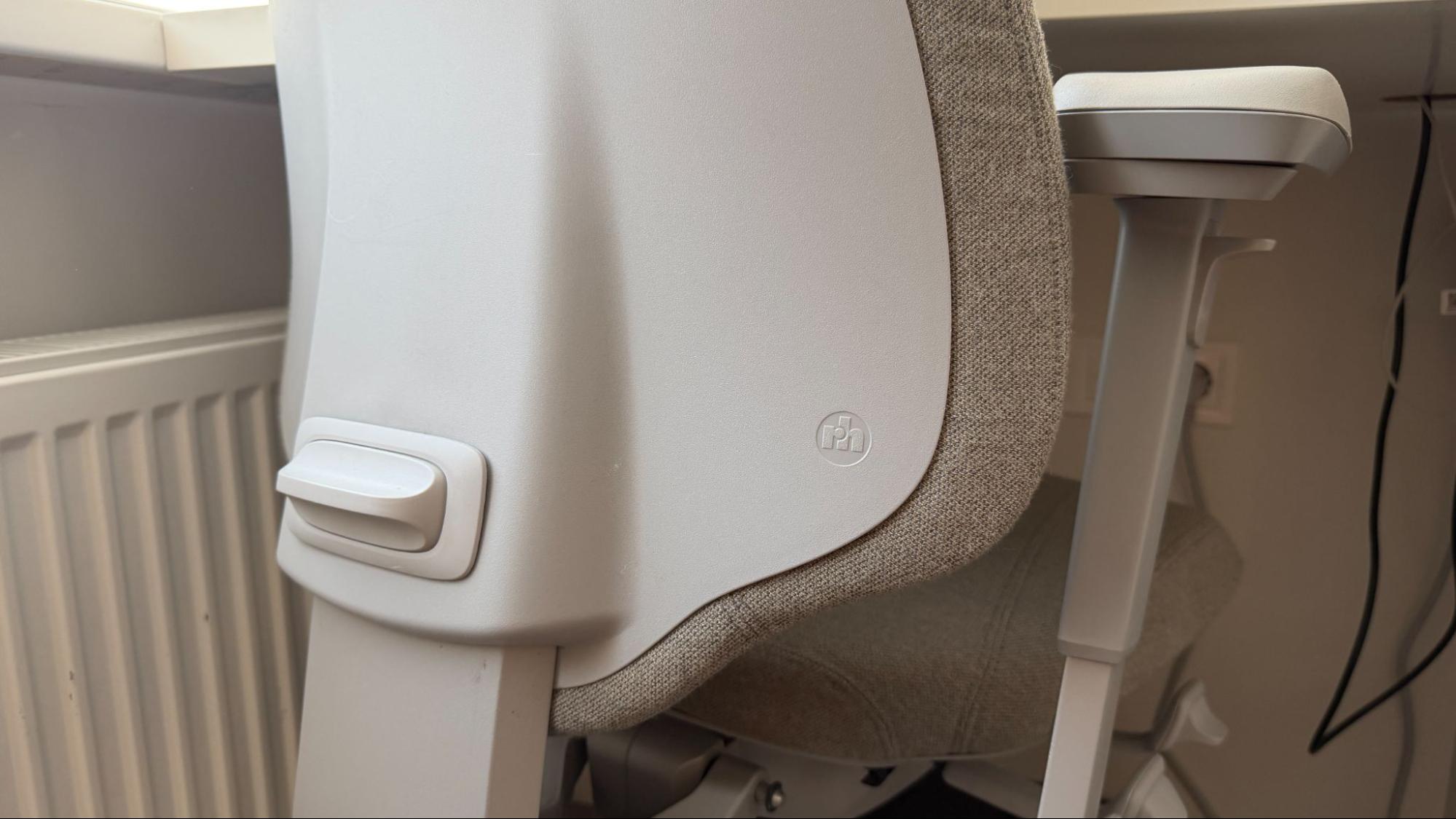
To solve this problem, I invested in a FLOKK RH MEREO 220 SILVER GREY chair — ergonomic, with New Zealand CAPTURE wool from GABRIEL. It was the most expensive solution in the entire setup, but also the most important. At first, the chair seemed too hard and unfamiliar, but after a week, my back began to thank me. Proper lumbar support, adjustable height, and the ability to recline the backrest are not luxuries, but basic care for a body that has to endure eight to ten hours of work every day.
The monitor is the next critical detail. I worked from my laptop screen for a long time, and that was a mistake. Your neck bends down, your shoulders tense up, and your eyes get tired. When I bought an external monitor and raised it to eye level (the top of the screen should be at eye level), the difference was noticeable after just one day. I added a laptop stand to the monitor — now my MacBook stands vertically on the side, freeing up space on the desk.
Desk height is something that is rarely thought about. But when your elbows are at a right angle on the desk and your wrists are not bent in an unnatural position, your body works naturally.
My desk is not adjustable and is quite high — at the level of the windowsill, because I wanted it to look nice. Therefore, the chair also rises high, and my feet are on a stand, which I will discuss later. Physiotherapists are not joking when they say that sitting is the new smoking.
That’s why I get up every 45 minutes, do a few bends, stretch my neck, and drink water. It’s not about discipline, it’s about not feeling broken by the end of the day.
And this is where the story about peripherals begins.
My path to minimalism: Logitech MX Keys Mini and MX Anywhere 3S
As the owner of a MacBook Pro M2, I know everything about its touchpad. It’s one of the best in the industry — accurate, responsive, intuitive. But after many years of working, I’ve gotten used to the classic combination: keyboard + mouse. It’s a question of productivity. When you work in Figma, select elements, and manage layers, the touchpad becomes a limitation. A mouse provides precision. A keyboard provides typing speed and access to hotkeys.
The turning point came when I bought a monitor and set up a workspace with a beautiful view. When you have such a space in front of you, you want it to work and inspire you. And that’s where the problem arose: a laptop takes up space on the desk. Add a regular full-size keyboard and mouse, and the workspace turns into a chaos of technological devices.
With all the noise of news and information overload going on around me, I needed a space where my brain wouldn’t feel the pressure of clutter. Where everything is in its place, where there is room for thoughts. That’s when I realised I needed compact but fully-featured peripherals. Something that would free up space on my desk, add a touch of minimalism, and not sacrifice functionality.
That’s how I came to Logitech MX Keys Mini and MX Anywhere 3S for MAC — one of the best solutions for my workflow.
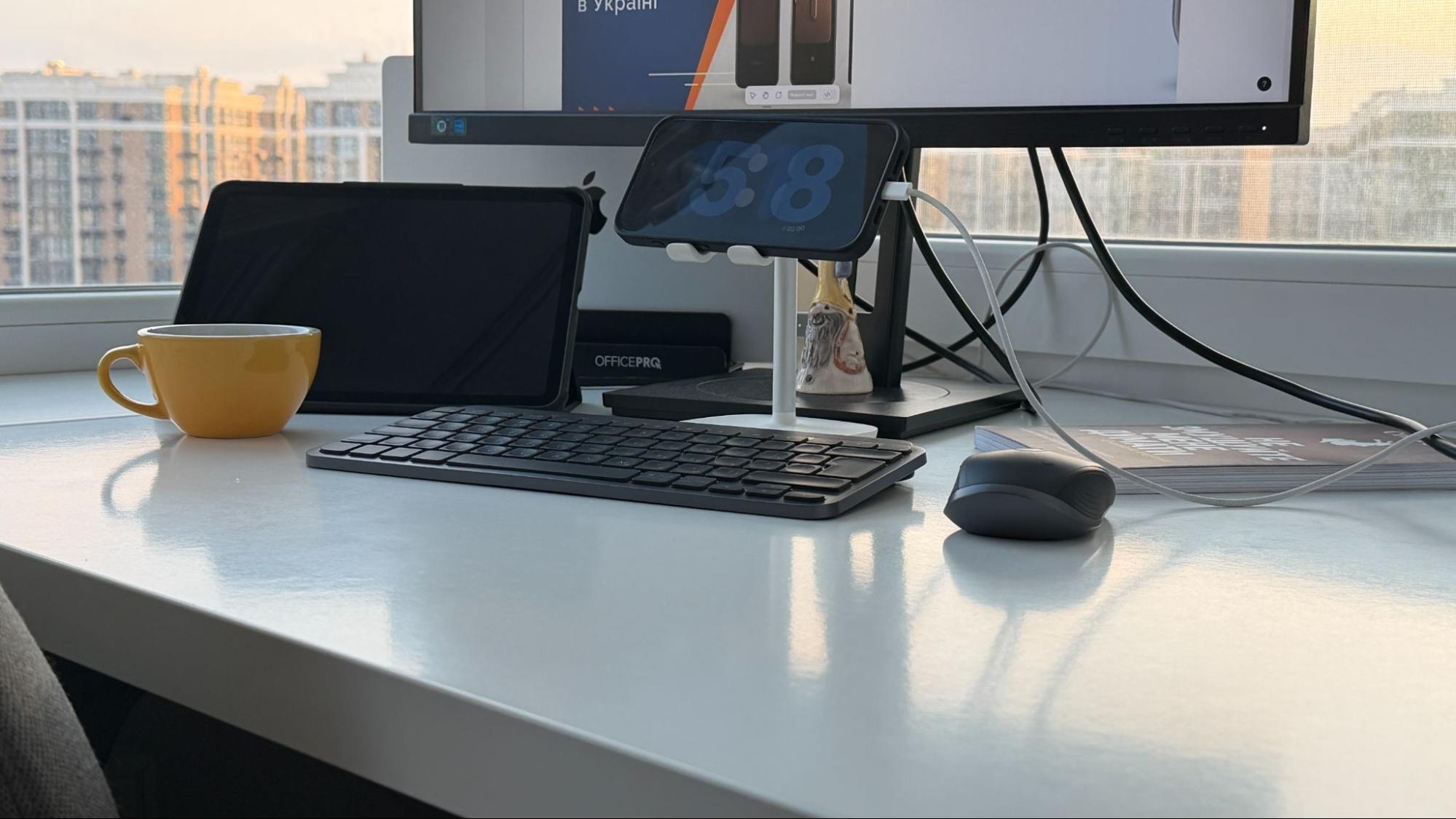
Logitech MX Keys Mini
My first impression was surprise. How can something so compact be so convenient? Logitech MX Keys Mini looks miniature compared to a regular keyboard, but the set of keys is identical. There are no compromises in tactile sensations. The keys have perfect travel, clear response, and require no effort to press. This is important when your work involves texts, letters, and comments on layouts. Your hands don’t get tired even after several hours of work.
Key backlighting seemed like a minor detail until the blackouts began. When the lights go out suddenly and you need to quickly finish a paragraph or send a message to a client, backlit keys become a necessity. The proximity sensor turns on the backlight automatically — just bring your hands close, and the keyboard is ready to go.
Another unexpected bonus is switching between devices. I have a MacBook and an iPad, and before, this meant endless hassle: disconnecting the keyboard from one device and connecting it to another. With MX Keys Mini, it’s a matter of one button. I’m working on my MacBook and need to quickly check something on my iPad — I press the switch button, and the keyboard is ready. To go back, it’s just one button again.
Desktop space is a separate issue. When I put the MX Keys Mini on my desk, I suddenly had room for a notebook, a cup of coffee, and my phone. My desk no longer looks like an electronics warehouse. The keyboard’s minimalist design doesn’t scream for attention — it just does its job, quietly and efficiently.
I charge the MX Keys Mini once every two months. USB-C charging takes an hour, and the keyboard is ready for months of use again. One cable, no batteries, no hassle.
The Logi Options+ app deserves a separate mention. There you can customise the function keys, reassign shortcuts, and synchronise settings between devices. At first, I was sceptical about yet another app on my computer, but when I realised that I could customise the keyboard to my workflow in Figma, it became a game changer.
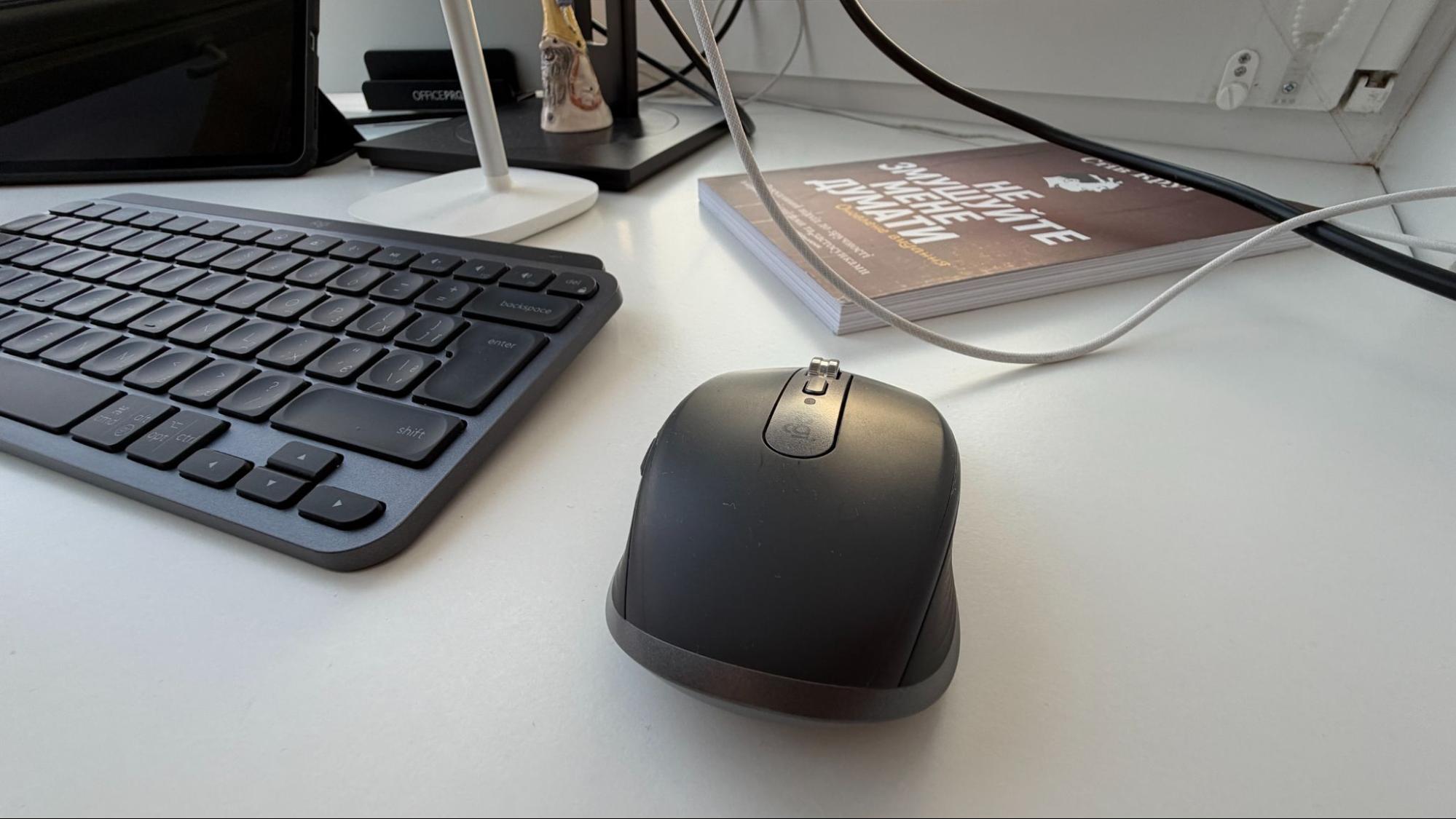
Logitech MX Anywhere 3S
I know that most leading designers today choose the Logitech MX Master 4. This is understandable: the MX Master is the undisputed hit of 2026, offering maximum functionality, a true ‘Swiss Army knife’ for your desktop. And I get that. But I’m a fan of the classics, so my choice is the Logitech MX Anywhere 3S. I’ve heard the question ‘Why a mouse when there’s a touchpad?’ many times. The answer is simple: precision. When working with interfaces, every pixel counts. Aligning an element, selecting a small icon, dragging a ball — all of this requires control that even the best touchpad cannot provide.
MX Anywhere 3S is a mouse that doesn’t look like a mouse. Compact and ergonomic, it fits so naturally in your hand that you forget about it. And that’s the highest praise for a tool — when it simply becomes an extension of your hand.
Silent clicks are something I didn’t know I needed until I got them. I don’t work alone, and every click of a regular mouse is a distracting sound. The MX Anywhere 3S clicks so quietly that even during Zoom calls, no one hears me working in the background. Respect from family and colleagues is important.
Working on any surface is not a marketing gimmick. I tested it on glass, fabric, wood, and even a magazine. It works equally well everywhere. It’s the freedom of not having to think about where you’re working.
Magnetic scrolling is a feature that seems insignificant until you start using it. When you need to scroll through a long document or a list of layers in Figma, one movement is enough. The wheel spins smoothly, precisely, and effortlessly. Productivity increases not because you work faster, but because you don’t waste energy on trivialities.
Portability is another plus. The MX Anywhere 3S fits easily into even a small bag. When I go to a coworking space or need to work away from home, the mouse comes with me. And again — switching between devices. One button, and the mouse works with another computer or tablet.
Battery life — up to 70 days on a single charge. I charge it once a month, just to be on the safe side. Three minutes of USB-C charging gives you enough power for a whole day’s work. It’s a convenience you get used to instantly.
Synergy
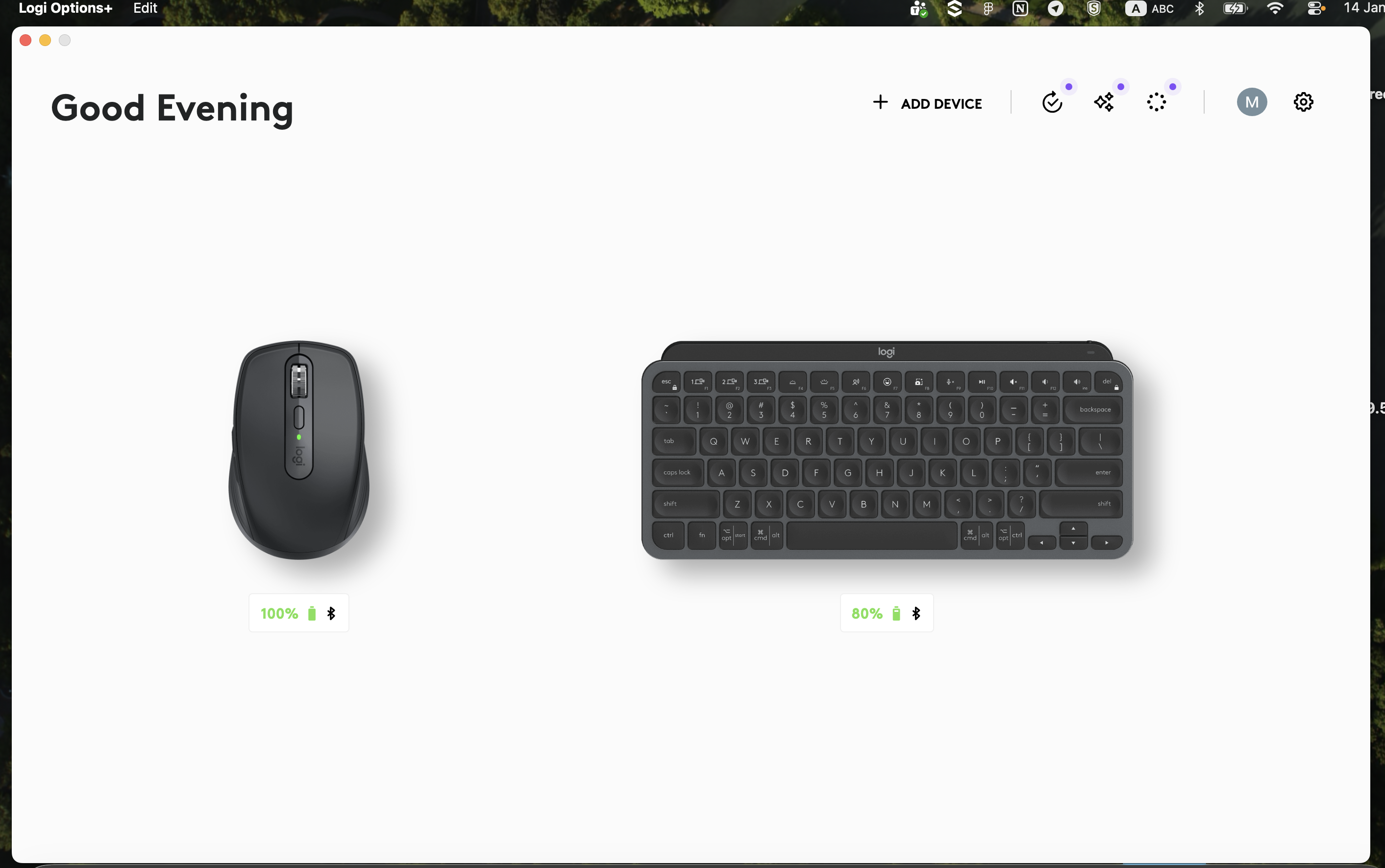
Logitech Logi Options+ connects all your peripherals into a single ecosystem. Here you can configure mouse buttons, assign gestures, and synchronise keyboard settings. For example, I configured the side buttons on the Logitech MX Anywhere 3S to switch between browser tabs and undo actions in Figma. It seems like a small thing, but when you do it hundreds of times a day, the time savings are noticeable.
The keyboard and mouse work via a single Bolt USB receiver or Bluetooth — your choice. I have a Bluetooth connection, no extra movements, no busy ports.
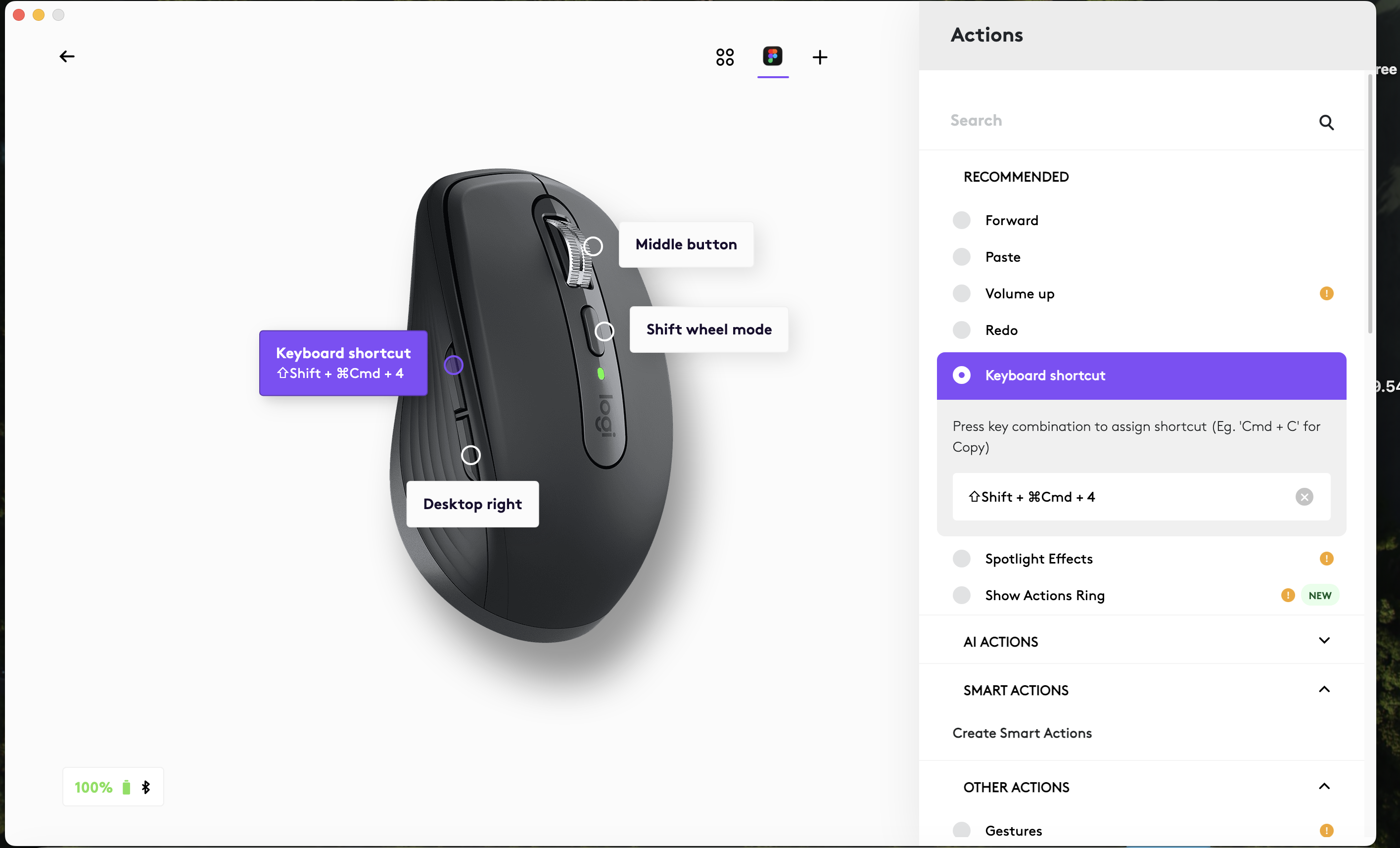
The result? More space on my desk, fewer distractions, better focus. When you look at your workspace and see order, when every element performs its function without unnecessary noise, your brain works more easily. It’s a great environment to work in.
Other must-have setup elements
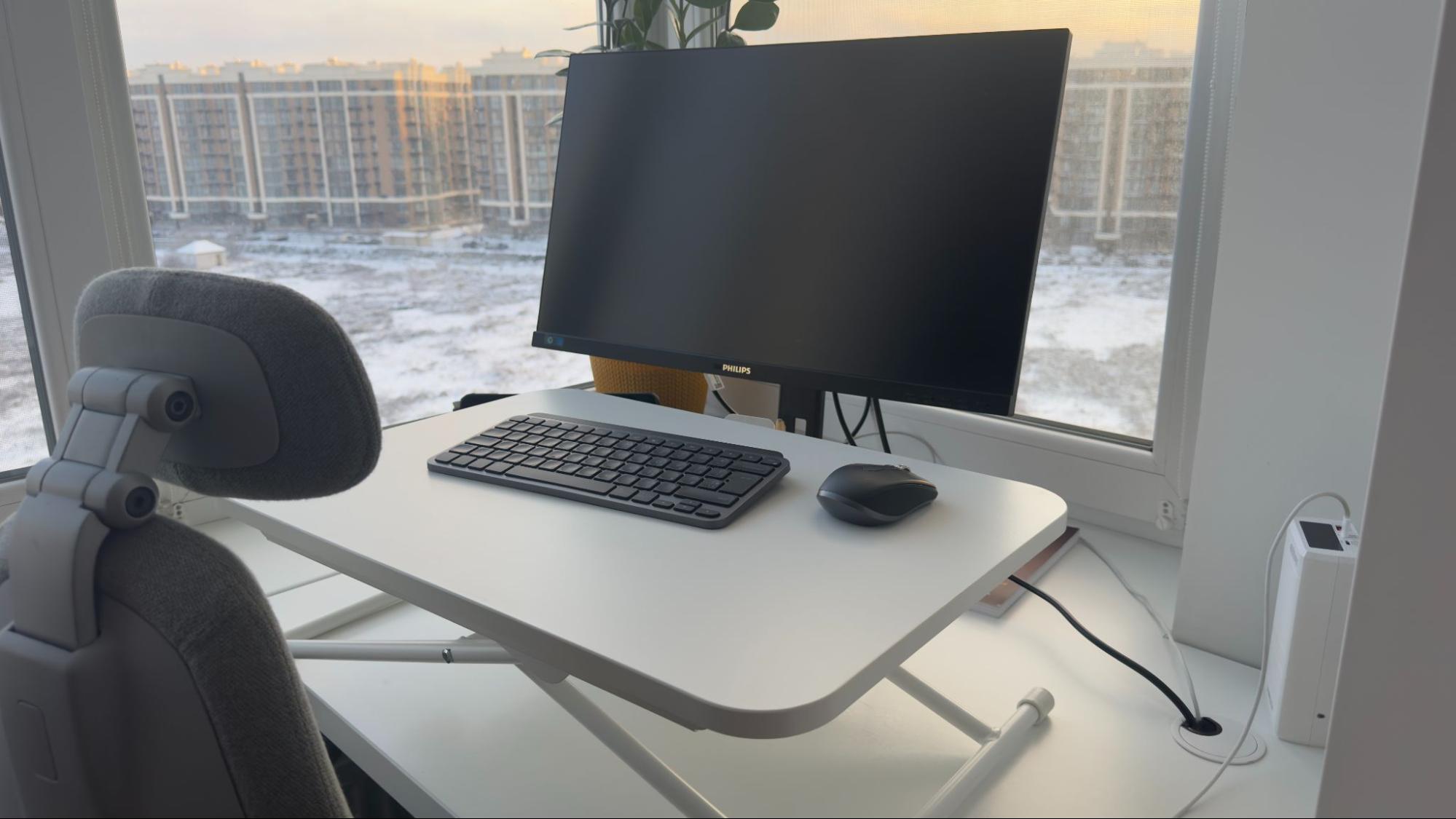
The IKEA DUBBLA laptop stand is another important detail that changes everything. It’s a simple, functional solution without unnecessary frills and with unexpected flexibility. When the MacBook stands vertically to the side of the monitor, it frees up space and becomes a second screen when needed. But the main advantage of DUBBLA is the ability to work standing up.
I adjust the height of the stand, connect the Logitech MX Keys Mini and MX Anywhere 3S, and I have a full-fledged workspace at a height that is comfortable for standing. This is a lifesaver after several hours of sitting, when your back asks you to change position. Fifteen to twenty minutes of standing work, and your body will thank you.
When I first put my laptop on DUBBLA, it felt like when you finally unpack your things after moving — suddenly there is space. The table no longer looks like a warehouse for equipment. The logic is simple: why take up precious desk space when your laptop can stand neatly to the side or turn into a standing workstation in seconds?
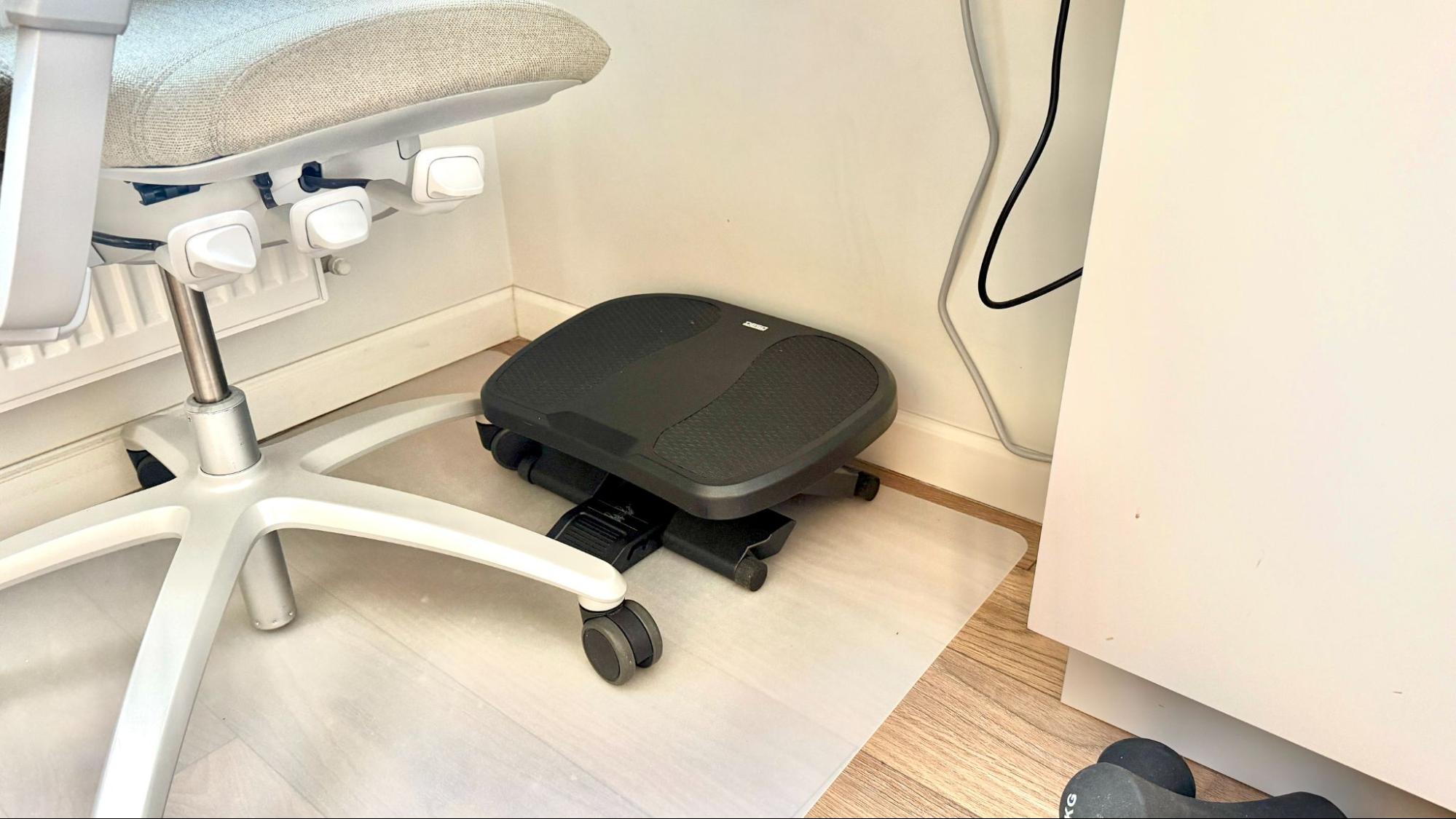
The DESQ 60081 footrest is another ergonomic feature that you don’t think about until you try it. Three height adjustment positions allow you to find the perfect angle for your feet while working in a seated position. When your feet are on the footrest instead of dangling in the air or straining to reach the floor, the load on your lower back is reduced. It’s a small thing, but after eight hours at your desk, that small thing matters. Especially if, like me, you are not very tall and the standard desk height is not always ideal.
Apple AirPods 4 with noise cancellation are my saviour on days when it’s noisy around me. When I need to focus on a task, when I’m on a call with a client, when I just want some peace and quiet — they work. Plus, they’re lightweight and compact, and don’t put pressure on your head even after several hours of wear.
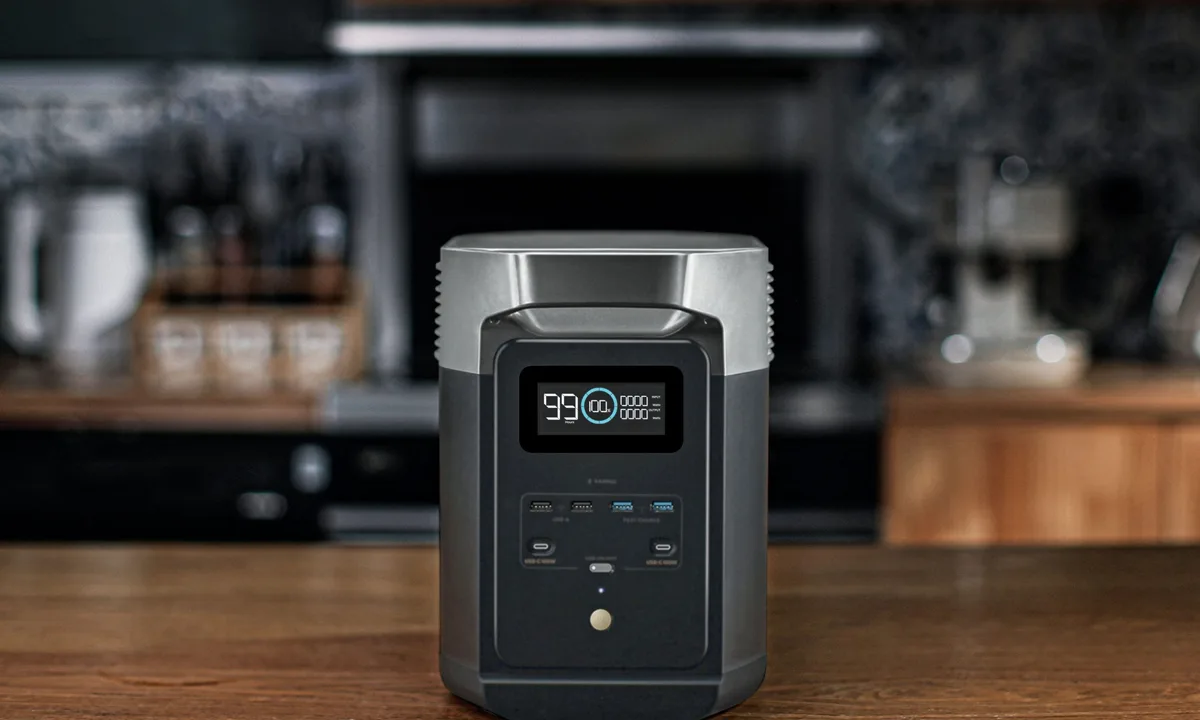
EcoFlow Delta, together with a three-position switch for powering the apartment, is a reality that is needed. And a regular power bank saves the day during short power outages. When working from home, a stable power supply is a necessity. My neighbours’ generators are noisy, but I want a solution that will allow me to work peacefully even during a blackout. EcoFlow easily powers my monitor, laptop and coffee maker — enough time to finish the working day without panic.
A time management app is the last element of my setup. I use Notion for task planning and Toggl for time tracking. When you see that a ‘quick task’ took two hours, you start planning more realistically.
Invest in yourself
Your setup is an important investment. In productivity, in health, in peace of mind. When your workspace is set up correctly, when you’re not struggling with discomfort, pain, or chaos, your energy goes to what really matters — the work you love.
The right tools don’t just affect how quickly you complete tasks. They affect how much you enjoy the process. A keyboard that’s comfortable for your fingers, a mouse that’s precise and quiet, and a tidy desk with enough light — it all makes work easier. Not because the tasks have changed, but because you’ve created an environment where you can perform at your best.
Think about what you can improve today. Maybe it will be a new chair. Maybe a monitor. Maybe a compact keyboard that will free up space on your desk and add a sense of order. You don’t have to change everything at once. Start with one element, the one that most affects your comfort.
The goal is to strike a balance between functionality and aesthetics. A workplace can be both efficient and beautiful. It can inspire and help you focus at the same time. It’s your space, your rules, your control. In a world where so many things are beyond our control, the workplace is something we can make perfect. For ourselves.
Author: Lyubov Kovalenko — Web Design Specialist, UAspectr | Ukrainian Spectrum
LinkedIn: linkedin.com/in/liukovalenko







Ми у соцмережах: